How-to
Scan your tattoo in 3D – with your phone, no app
A short video is enough: film your tattoo all around for about 30 seconds, upload the video in the browser, and Inkmirra turns it into a 3D model. Rotate and zoom it, keep it in your journal or share it by link.
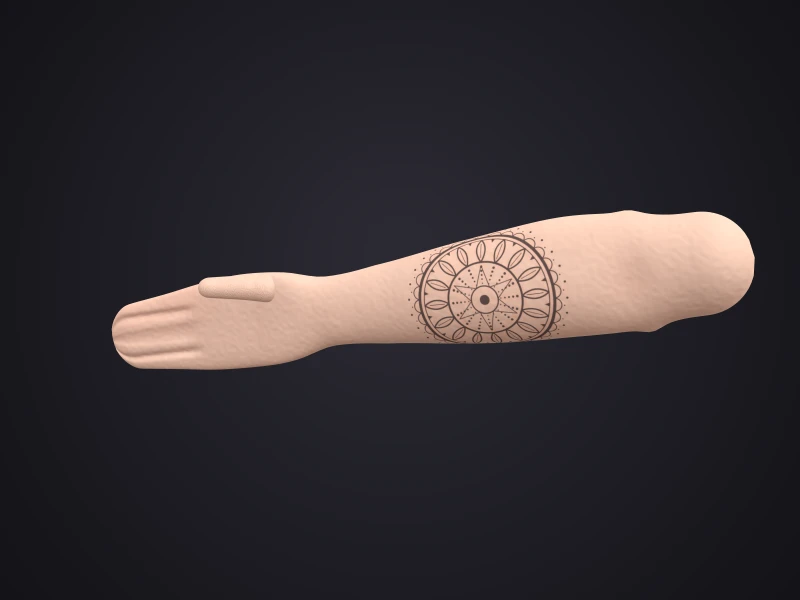
What you need: a phone, light, 30 seconds
No scanner and no app install: Inkmirra runs in the browser. Any current smartphone with a camera works, no LiDAR or depth sensor needed.
- A smartphone with a camera
- Good light
- About 30 seconds of filming
- For large areas: a second person filming
Step by step to your 3D model
Add the tattoo
Enter title, body area, style and date, and who tattooed it if you like.
Film
Film steadily around the area for about 30 seconds in good light.
Upload
Upload the video right in the browser. Processing runs on our servers.
View the 3D model
You get a textured 3D model to rotate, zoom or view full screen in the viewer.
Tips for good scans
Good light
Bright light shows lines and colours best.
Slowly all around
Move the phone steadily once around the area and film it from several angles.
Keep still
The person wearing the tattoo stands or sits as still as possible while filming.
Large areas
For a sleeve, leg or back, a second person filming helps. One scan can also show several tattoos at once.
Not an AR filter: your real tattoo in 3D
Tattoo preview apps overlay a planned design on the camera image with augmented reality. Inkmirra does something else: it turns your real, existing tattoo into a 3D model.
You can rotate and zoom the model and later compare it with new scans of the same tattoo.
What happens after the scan
Saved privately
Your tattoo is private by default. Only you can see it.
Share if you want
By link, WhatsApp or e-mail. You can set an expiry, renew or stop links.
Add it to your journal
Link the scan to your tattoo and compare it with new scans later.
Your data stays yours
- Tattoos are private by default, only what you share is shared.
- Videos are processed on our own self-managed hardware in Berlin.
- No ad trackers, we never sell your data.
- Export as ZIP and delete at any time in your profile.
FAQ about scanning tattoos
Do I need an app?
No. Inkmirra runs in the browser. You film with your phone's camera and upload the video.
Do I need a special phone?
No. Any current smartphone with a camera works, no LiDAR or depth sensor needed.
How long does the video need to be?
About 30 seconds, filmed steadily around the area in good light.
How large can the scanned area be?
From a small wrist tattoo to a whole arm, leg or back. For large areas, a second person filming helps.
Is this an AR filter like tattoo preview apps?
No. AR apps overlay a planned design on the camera. Inkmirra turns your real tattoo into a 3D model you can rotate, zoom and later compare with new scans.
Who sees my scan?
Only you. Tattoos are private by default. You can share a link and set an expiry, renew or stop it.
How much does a scan cost?
Up to 3 tattoos with 3D previews in viewer quality are free. Full-quality scans with download are paid per scan, current prices are on the pricing page.
Where are the videos processed?
On our own self-managed hardware in Berlin.