Preserve a tattoo
Preserve your tattoo before it changes
A cover-up is coming up, a touch-up or a laser appointment, or you simply want to keep a special tattoo: a 3D scan captures it the way it looks on your skin today, all around and from every angle.
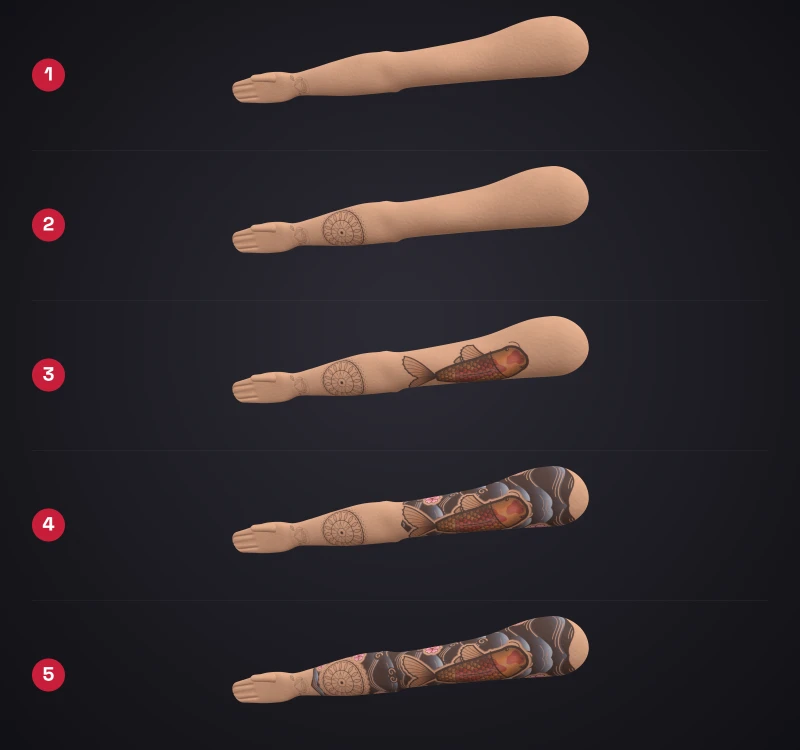
Why preserve it?
Before a cover-up
The old design disappears under the new one. The scan keeps it as a 3D model.
Before a laser appointment
Capture how your tattoo looks before the first appointment.
Before a touch-up
Scan before and after and compare both.
Over the years
Lines and colours change over time. Scans at intervals show how.
How to preserve your tattoo
Add the tattoo
Enter title, body area, style and date.
Scan before
About 30 seconds of video around the tattoo, uploaded in the browser.
Scan again after
After the appointment, link a new scan to the same tattoo.
Compare
Blend both scans or compare them with the swipe slider.
3D instead of a photo
Photos distort tattoos on an arm, calf or ribs. In the 3D model you see every line from every side, even where the design wraps around the body.
Before and after: old and new scan blended
Scan before the appointment and again afterwards. Inkmirra aligns both scans automatically, you blend, swipe with a slider or play them one after another.
Memories that last
You keep memorial tattoos and special pieces private and share them only if you want. Reminder e-mails for memorial tattoos are worded neutrally, and widgets show no Inkmirra badge there.
Your data: private, exportable, deletable
- Only you see the model until you share a link. Links can be time-limited and stopped.
- Your own copy: data export as ZIP under Profile → Account and data, full-quality scans to download.
- Delete at any time in your profile.
- No ad trackers, we never sell your data.
FAQ about preserving a tattoo
Is a scan worth it before a cover-up?
Yes, if you want to keep the old tattoo as a memory or compare later. Scan before the appointment and again afterwards.
Can I compare before and after?
Yes. Several scans of one tattoo can be blended or compared with a swipe slider.
How do I handle a memorial tattoo?
Like any other tattoo: keep it private and share it only if you want. Reminder e-mails for memorial tattoos are worded neutrally, widgets show no Inkmirra badge there.
Do I get my own copy?
Yes. Under Profile → Account and data you export your data as ZIP. Full-quality scans can be downloaded.
Can I give a scan as a gift?
Yes, with a gift card for 1 or 5 scans, valid for 3 years.
Who sees the model?
Only you, until you share a link. Links can be time-limited and stopped.
Does Inkmirra help me decide between laser and cover-up?
No. Inkmirra only documents. Ask your artist for advice, and specialists for laser treatment.