Guide for tattoo fans and artists
How to photograph a tattoo without glare
Good tattoo photos need soft, indirect light, a camera held straight to the skin and no flash. To avoid glare, let the light come from the side instead of the front and tilt the camera slightly until the bright spot disappears.
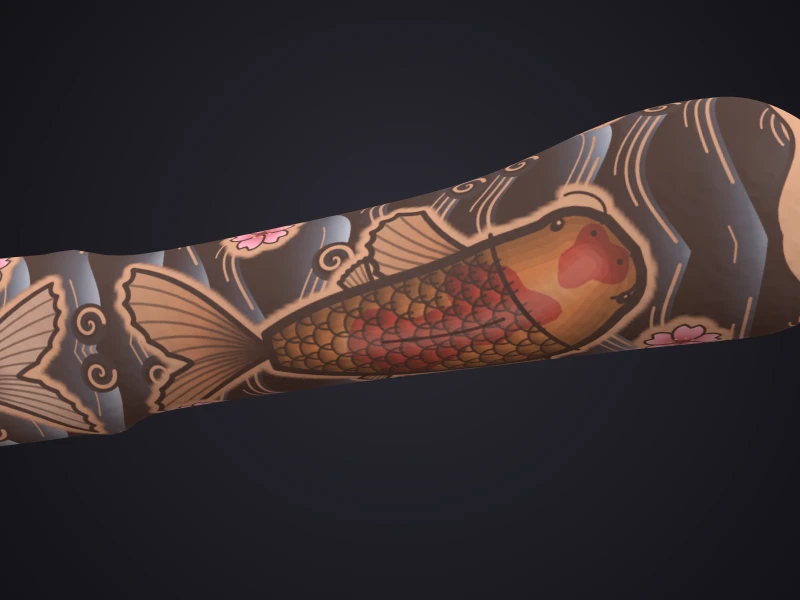
For tattoos that wrap around an arm, leg or ribs, every photo hits a limit: it stays flat. That is where a 3D scan shows more.
By Inkmirra · Updated: 1 November 2026 · 3 min read
The right light
Soft daylight
Ideally near a window, without direct sun. An overcast sky works like a large softbox.
No flash
The flash comes from exactly the camera's direction and creates bright spots on the skin.
Light from the side
When light hits the skin at an angle, less of it reflects into the camera.
One light source
Mixing lamp light and daylight distorts colours. Switch off the ceiling light when you shoot by the window.
Avoiding glare
Shiny skin quickly turns into a white spot in photos, for example right after moisturising or under a film. These tricks help:
- Change the angle slightly until the bright spot disappears
- Let the light come from the side, not the front
- Use indirect light, for example bounced off a bright wall
- For pros: polarising filters on the light and the lens reduce reflections
A straight angle, less distortion
Hold the camera parallel to the skin with the tattoo in the centre of the frame. Shot at an angle, circles look oval and straight lines look bent.
Step back a little and, if your phone has one, use the 2x camera instead of going very close to the skin. Up close, the wide-angle camera distorts more.
One setup for every picture
If you want to compare photos, for example during healing or over the years, always take them the same way:
- Same place and same time of day
- Same distance and the same camera
- Same pose, for example the arm stretched out on a table
- A calm, neutral background
- No filters and no automatic beautifying
Step by step to a good tattoo photo
Clean the lens
A fingerprint on the lens makes every picture soft.
Check the light
Go to the window, flash off, ceiling light off.
Full view
The whole tattoo, straight on, with a little margin.
Details
Close-ups of lines, shading and colour fields. Tap the tattoo to focus.
Sides
For arms, legs or ribs, also from the left and the right.
Where photos hit their limits
A photo always shows one side only. A tattoo that wraps around a forearm or calf gets squeezed at the edges of the frame, and a sleeve never fits into a single picture without distortion.
A 3D scan captures the whole area as a model you can rotate and zoom. For single details a good photo is still useful; for shape and flow around the body, 3D shows more.
Guide: what is a 3D scan? →From photo to 3D scan
The same lighting rules apply to a scan with Inkmirra. Instead of single photos, you film calmly around the tattoo for about 30 seconds and upload the video in the browser. No app needed.
How-to: scan a tattoo in 3D →Questions about photographing tattoos
Why do my tattoo photos look shiny?
Usually the skin reflects light straight into the camera, for example from the flash, a lamp in front or freshly moisturised skin. Let the light come from the side and change the angle slightly.
What light is best for tattoo photos?
Soft, indirect daylight, for example at a window without direct sun. Switch off other lamps so the colours stay true.
Do I need a professional camera?
No. A current smartphone is enough if light and angle are right. A calm, consistent setup matters more than the camera.
Does a 3D scan replace photos?
Not entirely. A 3D scan shows the tattoo all around and how it flows around the body; good photos are still useful for single details. The two complement each other.
How do I photograph a tattoo on my own back?
Get help: a second person takes the photo or video while you stand still. The same applies to a 3D scan of large areas.